
A LinkedIn headshot, from one selfie
Recruiters and clients open your profile before anything else, and the picture they see is a small circle, not a full photo. Here is what actually belongs in that circle, and how to get it without booking a studio.
What the photo looks like
- Square, face centered. LinkedIn draws a circle over the image, so only the middle survives. A tall portrait gets cut to the forehead and chin.
- A plain background. Light gray is the usual start here; white, light blue, and light gray are all available. A busy room, a beach, or a group photo reads as a snapshot.
- One work outfit — a collared shirt, that shirt with a navy jacket, a plain traditional top, or the clothes you are already wearing. Pick a different one per photo if you want.
- Beard, glasses, and a head covering stay. Sunglasses off, no beauty filter, face large in the frame.
- A JPEG around 1536x1536 on the square crop, usually under 0.3MB without the watermark.
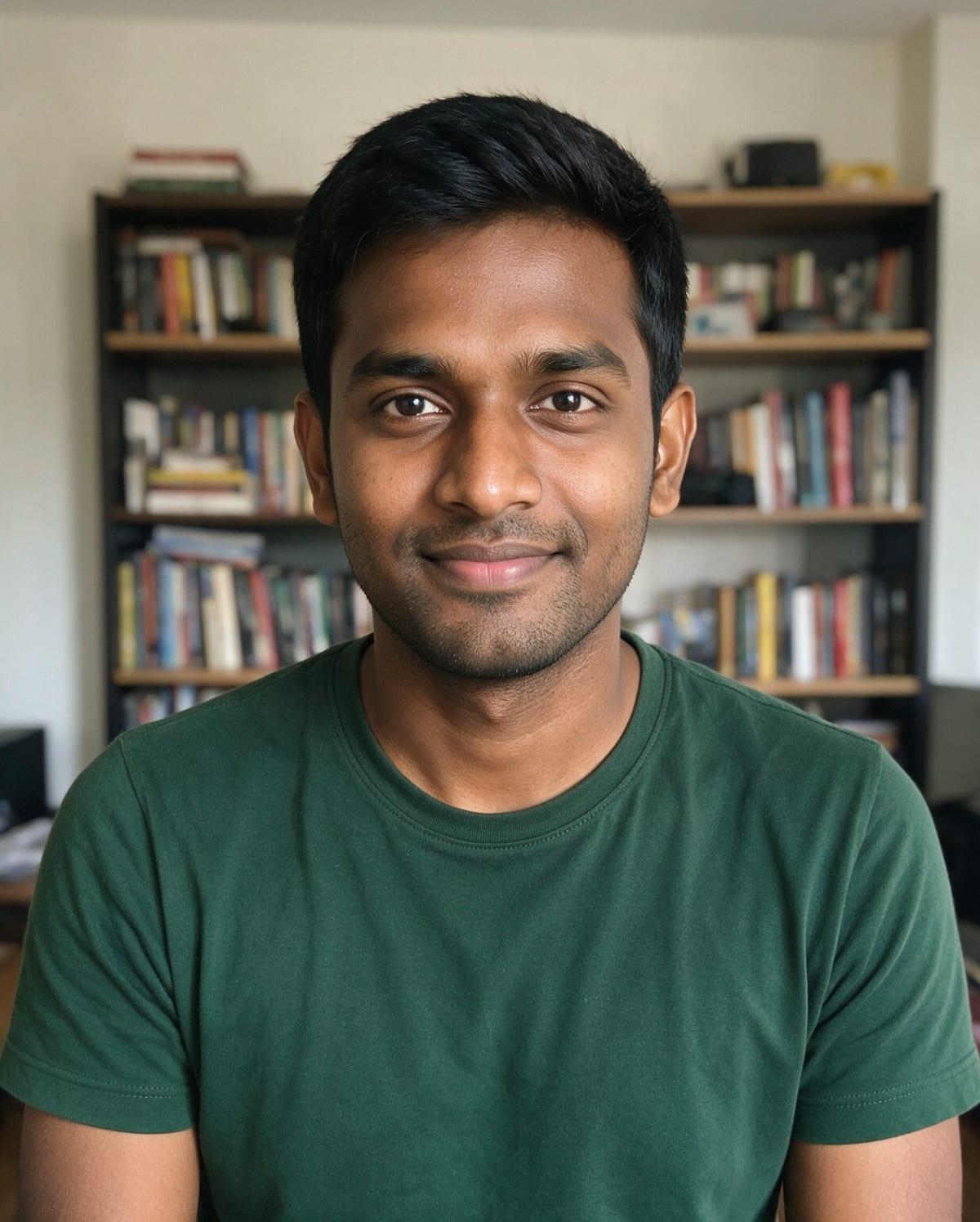

Square crop, light gray background, light blue collared shirt. The circle keeps the head and drops the shoulders.
The three mistakes that actually cost you
Not lighting, not the camera. These are the ones that show up in the circle:
- Using a résumé portrait. It looks correct in your folder and wrong on the profile. The circle keeps the middle, so a tall crop ends up as a forehead.
- Cropping a group photo. Even a careful crop leaves a shoulder or an arm in frame, and the background was never clean to begin with.
- Leaning on a filter. The profile is meant to be recognised at the interview. Smoothing that changes the face shape works against the only thing the photo is for.
Questions
- What size should a LinkedIn profile photo be?
- LinkedIn accepts anything from 400x400 up, and shows it as a circle. A square file around 1536x1536 is more than enough; the circle never uses the corners. What matters is that the face sits in the middle, because the circle crops the edges off.
- Should the photo be square or portrait?
- Square, for LinkedIn. A portrait crop made for a résumé gets cut down to the forehead and chin once the circle is applied. Start square and keep the face centered.
- Do I need to smile in a LinkedIn photo?
- No. A neutral expression with your eyes to the camera reads as competent; a natural smile reads as approachable. Neither is a mistake. A forced grin is the one that looks wrong.
- Can I use the same photo for a résumé and LinkedIn?
- You can generate both from one upload at no extra cost. The résumé version is usually a 4:5 portrait on white; the LinkedIn version is a square on a light background. Both count against the photos in your pack.
Time and price
One photo usually takes under a minute. Once it starts, you can leave and come back. The free preview is watermarked and needs a Google sign-in first; one account gets one preview. Starter is $4 for 5 watermark-free photos, including the previewed one. Standard is $8 for 11. Each photo can use a different work outfit. Checkout is in US dollars through PayPal, or a card that can pay an overseas seller.
This is a profile photo, not an identification photo. Passports, visas, and government IDs need an unedited picture, and this tool redraws the portrait, so it is not accepted for those.